PvP Domes Ascended – PvP domes and events for PvE servers.
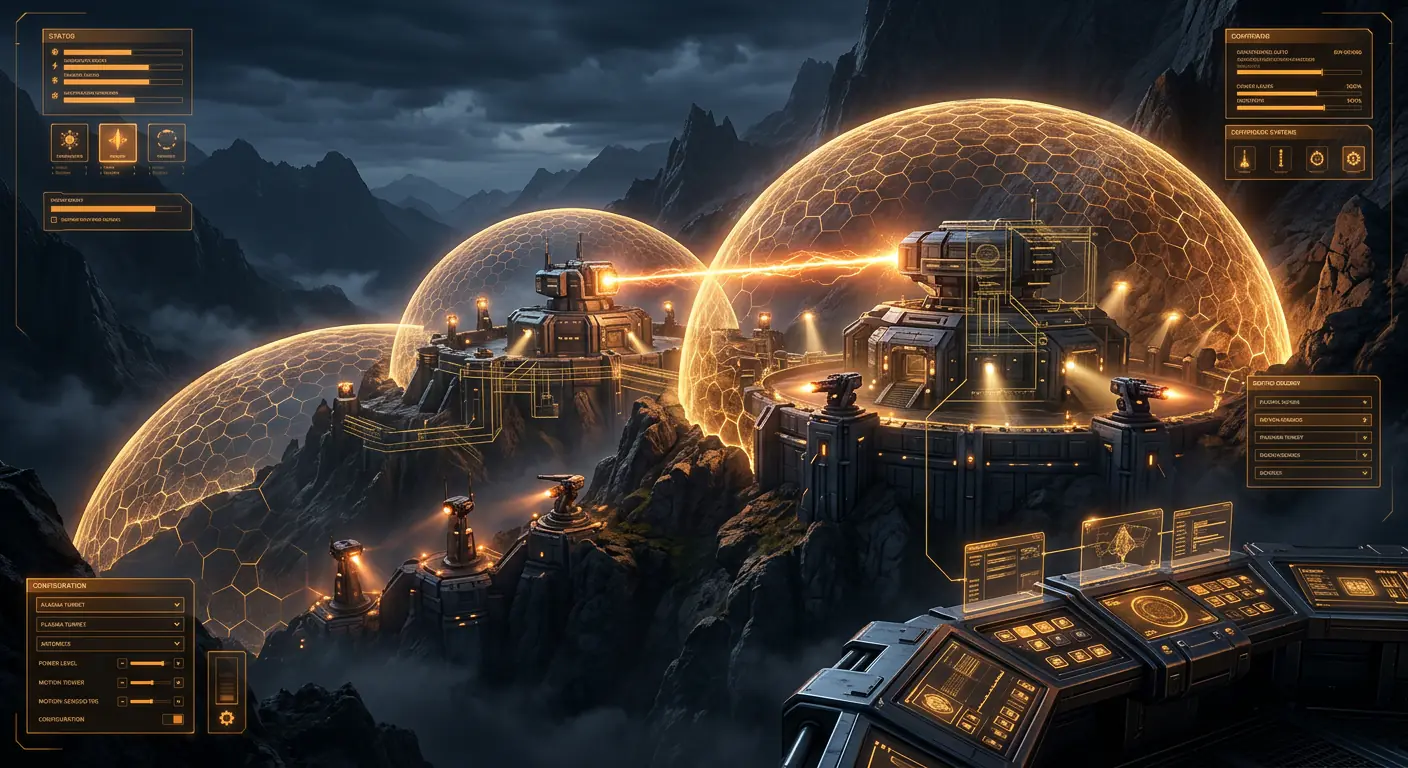
PvP domes and automatic events (supply drops, boss hunts, taming and raids) for ARK: Survival Ascended PvE servers. Real PvP inside a controlled sphere while the rest of your server stays PvE.
Donation: €45.00. Includes 12 months of updates and support. After that, a €15.00 yearly support keeps it running with every new release.
- Version: v4.5
- Requirement: AsaApi 2.01+
- Author: Kalius
- Category: PvP Protection
Keep your server PvE and give your players real PvP where you want it.
PvP Domes Ascended lets ARK: Survival Ascended server owners create PvP areas inside a 100% PvE server, without switching the server to PvP mode. Each area is a visible dome: inside it, players can fight, raid and loot each other; outside it, the server stays exactly as PvE as before.
It is built for PvE communities that want arenas, colosseums, events or risky zones without exposing the rest of the map to PvP, and without the usual problems: players shooting into the arena from outside, structures destroyed from a distance, or PvE protection plugins blocking the loot inside the arena.
Automatic events and a configurator that does the work for you.
The biggest update so far, and free for everyone who already has the plugin. Every event comes OFF: updating changes nothing until you turn them on.
- New in 4.x: boss requirements (minimum level and boss ascension), a level to open the crate, events that don't repeat places, automatic places all over the map, defenders placed on the real ground and a more reliable teleport
- Supply drops (
/pvpdrop): a crate with your loot every X minutes, with a 5-minute heads-up and Lat/Lon - Boss hunt (
/pvpboss): bosses take turns inside a Tek dome arena, with a reward crate - Taming and hunting (
/pvptame): creatures to tame or hunt at your spots - Raid zones (
/pvpraid): a dome over a base where the tribes that go in are at war - Defenders: guard creatures, turrets and traps around every event
- Discord announcements (
/pvpdiscord), event log (/pvplog) and catalog by name (/pvpcatalog) - Windows configurator (English/Spanish): balanced events in one click
PvP domes on a PvE server.
- Creates spherical PvP zones anywhere on the map, centered on the admin's position
- The rest of the server stays PvE: no global PvP switch, no tribe war setup needed
- Unlimited domes per map, each one with its own name and settings
- Each dome can enable or disable PvP independently
- Two types of dome:
- Free dome: everyone inside can fight and loot, no setup needed
- PvP-only dome: only the players in your Permissions groups (one or several, chosen in
config.jsonor per dome; defaultPvP) can fight. Players outside those groups can't deal or take player damage inside, so PvE players can't grief PvP players and vice versa
- Optional whole-map PvP for the groups: group players can fight each other anywhere, everyone else stays PvE
- Allied tribes never damage each other (configurable)
- Warning when a dome is created over other tribes' structures, dinos or players
- Overlapping domes are blocked: the admin is told which dome is in the way and how far to move
Events that keep your players busy.
All of them OFF by default: nothing changes until you turn them on.
- Supply drops: every X minutes a public crate with YOUR loot lands at one of your places, with a 5-minute heads-up and Lat/Lon. Items by name (no Blueprint paths), quality by name (Primitive ... Ascendant), optional blueprints. One crate at a time, or one per place with a global limit. Optional minimum level to open it (
/pvpdrop minlevel 30). A crate only counts as looted when a player empties it standing next to it: if the game empties or removes it with nobody around, the plugin refills it or puts it back - Boss hunt: a Tek dome arena where bosses take turns (Broodmother, Megapithecus, Dragon, Nunatak, alphas... in Gamma/Beta/Alpha). The boss can't leave the dome. When it dies, a public reward crate appears. Bosses keep their native level by default. No reward if it dies with nobody in the arena
- Boss requirements (optional): minimum level per difficulty (Gamma / Beta / Alpha) and boss ascension: to fight the Beta you must have beaten its Gamma first, and the Alpha after its Beta (per tribe or per player). Whoever doesn't meet them can't hurt the boss (not even with dinos or turrets), gets a warning and can be sent out of the arena. The 5-minute heads-up says what is needed.
/pvpboss require - Taming event: wild creatures appear at your spots for players to tame, each spot with its own creature (or a random one of the map), level, sex, exact stats and colors (only valid ASA color IDs). If nobody tames it, it leaves (an ongoing taming gets extra time)
- Hunting: the taming event can also be a hunt: whoever kills the creature wins a reward crate
- Raid zones: a dome over a tribe's base: every tribe that goes in is at war with the base and with the other tribes inside; the war ends 30 s after leaving. No real tribe war is declared, nothing to undo. Works with AntiPVEGriefing
- PvP in PvE for every event: optionally the area of a crate, the boss arena or a taming spot becomes a temporary PvP dome while the event lasts (100 m by default, so several tribes can battle). Same rules as the plugin's domes; can be limited to the PvP groups
- An audience for every event: for everyone, for some Permissions groups only (for example VIP-only crates, bosses and creatures: nobody else can open or hurt them) or for the PvP players only. Messages only to that audience or to everyone; in game, on Discord, both or off
- Automatic places: no need to mark anything. The plugin learns free places on your map by itself and checks each one before using it (no bases, beds, bags, players or bodies; outside your domes and raid zones; never next to another event). It learns places all over the map, even far from players. If a place doesn't work it tries the next one, and an event that finds no place retries every minute. Or use your own places, or both (yours first)
- No repeated places: automatic events remember the last 15 places used (also after a restart) and don't come back within 300 m of them, and two events never share the same area
- Smart places: crates and creatures skip places where players built or are standing; no crates in water or lava; sea bosses and creatures only in water arenas and spots; the boss arena grows to the boss's size (alphas 100 m ... Titans 300 m)
- Chances: the better the item, boss or creature, the rarer it is. Every loot line can have a chance, lines can be grouped so only one of them comes, and each taming place can have several possible creatures. A crate is never empty
- Discord announcements: one webhook for everything or one channel per event type, mentions (@everyone, roles), templates with emojis and Lat/Lon, and a test button
- Event log:
/pvplogshows the last 40 event messages and problems, kept after restarts - Catalog: pick items, creatures and bosses by name (creatures and bosses are read from YOUR server, mods included; mod items by Blueprint path or
giveitemline)
Every event, guarded.
Guard creatures, turrets and traps around crates, bosses and taming creatures. Choose which ones (with chances), how many, their level (or the recommended one) and their ammo.
- Guard creatures: 19 land guards and 5 sea guards (Megapiranha, Megalodon...). On water events only sea guards and mines appear; on land, never sea creatures or mines
- Turrets and defenses: normal, heavy and Tek turrets, Plant Species X (shoots by itself), Plant Species Y trap, bee hive, spike walls, bear traps, generators, lamps or any structure. Underwater mine only if the event is in the water
- Ammo: unlimited or limited. If limited, the recommended amount: normal turret 300, heavy 600, Tek 150 shards (or the amount you choose)
- Rules: guards can't be tamed and can't be lured out of the dome. Turrets, defenses and guards are placed on the real ground (never buried on slopes or floating)
- Nothing inside: guards spawn with an empty inventory and are emptied again when they die; the creature to tame spawns empty too (two separate options, on by default)
- Soulless guards: with NoLoot their body disappears when they die and anything they drop is removed in 10 s: nobody can revive them
- Turrets: separate option so they can't be opened and their ammo is removed if they are destroyed
- The boss still drops its own items (trophy, element...), never removed by the guard options. Optional: a boss that drops nothing (the reward crate still comes)
- Cleanup after a restart: crates, bosses, taming creatures, guards and turrets left on the map are removed by themselves 30 s - 3 min after the server starts. Tamed creatures are never removed
Balanced events in one click.
- Opens with a double click (no install needed; a Node.js version is also included)
- English and Spanish, written so that someone who has never played ARK understands every option (help with examples on every field and a glossary)
- One-click Generate: pick a style (Beginner, Balanced, Hunting & taming, Endgame, PvP/Raid) and a size; it fills drops, the boss list and rewards, and taming spots with balanced values (value-point budget, quality caps, safe boss levels, map-aware bosses and creatures). Same seed = same result
- Always real bosses for your map (Ragnarok = Dragon and Nunatak; The Island = Broodmother, Megapithecus, Dragon...), never arena-only bosses
- Tabs to choose which guard creatures (19 land + 5 sea) and defenses (14) can appear, with their chance, plus an unlimited ammo switch (or the amount for each turret type: normal, heavy, Tek)
- The style also sets the level needed to open the crate (Beginner 0, Balanced 25, Hunting 20, Endgame 60, PvP 40), or your own number
- Choose automatic places, your own places or both; loot, bosses and creatures come with chances (better = rarer)
- Review tab with every item, its quality color, value and chance; a JSON view of exactly what will be saved; edit anything by hand; save with an automatic backup. It only touches the events part of
config.json - No configurator? The plugin's
Examplesfolder has a ready automatic config and a manual one
Clear rules inside and outside the dome.
- PvP only happens when attacker and victim are both inside the same dome
- Damage between inside and outside is blocked: nobody can shoot into the arena or out of it
- Looting works only inside the dome: a body taken outside can no longer be opened or damaged
- Wild dinos, fall damage, temperature and the environment keep their normal PvE behaviour, inside and outside
- Works with players riding dinos or standing on platform saddles (real world position, not relative)
- The dome is a sphere: it also counts upwards and downwards, so if you fly high above it you are outside
Whole map PvP mode, only for your PvP groups.
Turn the whole map into a PvP area only for the players in your PvP groups: they can fight each other (and raid each other's bases and dinos) anywhere, while everyone else stays fully PvE.
- Players who are not in the groups cannot hurt the PvP players and cannot be hurt by them
- Switch it on and off in game, no restart needed:
admincheat pvpwholemap on- whole map PvP for the groups inconfig.jsonadmincheat pvpwholemap on PvP,VIP- whole map PvP for these groupsadmincheat pvpwholemap off- back to domes onlyadmincheat pvpwholemap- shows the current mode
- Your domes keep working the same: a free dome lets everyone fight inside, and a dome without PvP is a safe zone for everyone
- Players get a message when they log in and whenever they change between PvP and PvE
Tribe rules, all configurable in config.json.
- TribeRule:
"Any"= one group member makes the whole tribe PvP;"All"= every online member must be in the group - OfflineProtection:
true= PvP tribes with nobody online are protected;false= they can be raided offline - PvEAllies:
"Block"(default) = no PvP/PvE alliances;"Allow"= PvE allies stay PvE;"BecomePvP"= they become PvP while the alliance lasts - TribeInvites:
"Block"(default) = no mixed PvP/PvE tribes;"Allow"= players can join tribes of the other kind - AllowAllyDamage: allied tribes never damage each other by default, not even in PvP areas. Set it to
trueto let allies fight inside PvP areas - Clusters: one
config.jsonfor every map withPvP_{map}in the group names (PvP_TheIsland,PvP_ScorchedEarth...).MapName: "auto"reads the map name from the game. A player can be PvP on one map and PvE on another
Visible, safe and easy to manage.
- Visible domes: each dome is a Tek-shield style bubble visible to all players (free AsaApiUtils mod), with its own RGB color. Hide it and show it again with a command: the PvP zone keeps working while invisible. Domes are recreated after a restart
- Building: allowed inside the domes by default, can be forbidden for all domes with one switch. Structures inside can only be damaged by players who are also inside. Optional indestructible mode, ideal for an admin-built colosseum
- Entry and exit notifications: on-screen and chat message when a player enters or leaves, with custom texts, colors and display time per dome (emojis supported)
- AntiPVEGriefing: its protections are turned off inside the domes so PvP is complete (loot the defeated player, pick up drops, grab enemies); outside it keeps protecting everything. It does not give admin rights to anyone and can be turned off per dome
- Easy management: create, list, hide, show and delete domes in game from chat or console. Each dome is saved in its own JSON file, easy to back up or copy to another server. Reload without restarting. Every command is written to the log
- Customization: every player-facing text can be rewritten in any language, and command names can be changed (for example
/arenainstead of/createpvpzone) - Performance: zero work when no domes exist; light checks only on player-versus-player damage, never on wild dino or environment damage
Manage domes from the chat or the console.
All commands are admin only. Use them in chat with a /, or in the console with admincheat in front (recommended).
createpvpzone <Name> [Size] [pvp | Group1,Group2]- Creates a dome centered on your position. Size is the radius in units (100 units = 1 m), default 2000. Withpvponly theconfig.jsongroups fight; with group names, only thoselistpvpzones- Lists every dome with its position, size and optionshidepvpzone [Name]- Makes the dome invisible (the PvP zone keeps working)showpvpzone [Name]- Makes it visible againdeletepvpzone [Name]- Deletes the dome and its filepvpwholemap [on | off] [Group1,Group2]- Whole-map PvP for the groups on or off (saved inconfig.json). Without arguments it shows the current modereloadpvpzone- Reloadsconfig.jsonand all domes without restarting (new command names apply after a restart)
Without a name, hide, show and delete use the dome you are standing in.
Type any of them alone to see its options.
/pvpdrop- addpoint, additem metal ingot 200, interval, warning, mode, max, now, on/off/pvpboss- setarena 100, add broodmother gamma, add alpha rex 60, additem, respawn, now, on/off/pvptame- addspot, set 1 rex 150, sex, stats, colors, interval, wait, now, on/off/pvpraid- add 200 60, list, del, leave, on/off/pvpdiscord- webhook, mention, type, test, on/off/pvpcatalog- items | dinos | bosses <name>/pvplog- [N | drop | boss | tame | raid | error]/pvpboss require·bosslevel <N> <level|auto>·bossascension <N> on|off|auto- Requirements to fight each boss/pvpdrop minlevel 30- Level needed to open the crate (0 = anyone)/pvpdrop tp,/pvptame tpand/pvpboss tptake you to the event (on foot, not riding a dino); during the 5-minute heads-up they leave you next to where it will appear. Places are only marked standing on the ground
Copy, paste, play.
admincheat createpvpzone Arena 3000- Free dome, 30 m radiusadmincheat createpvpzone ZonaPvP 5000 pvp- PvP-only dome using the default groupsadmincheat createpvpzone Torneo 4000 Warriors,VIP- PvP-only dome for the groups Warriors and VIPadmincheat pvpwholemap on PvP- Whole map PvP for the PvP group/pvpdrop additem assault rifle 1 ascendant- Adds an Ascendant assault rifle to the crate loot/pvpdrop additem fabricated sniper 1 10%- A rare item: only in 10% of the crates/pvpdrop pvp on 100·/pvpboss pvp on·/pvptame pvp on 100- PvP in PvE while each event lasts/pvpdrop audience groups VIP- Only VIP players can open the crate (and only they get the messages)/pvptame goal hunt- Hunting mode: kill the creature to win a reward crate/pvpdrop guards addturret auto ammo recommended- Turrets with the recommended ammo around the crate
Every detail, your way.
config.json, General:PreventBuilding,PvPGroups,AllowAllyDamage,TribeRule,OfflineProtection,PvEAllies,TribeInvites,MapName,BubbleScale(automatic by default),NotificationSeconds,CheckIntervalSeconds,Debugconfig.json, WholeMapPvP: whole map mode on/off, its groups, AntiPVEGriefing on/off for PvP playersconfig.json, Commands and Messages: command names (without the slash) and all messages; empty = built-in English text,{0}= dome nameconfig.json, Events: drops, bosses, taming, raids and Discord, all OFF by default. Every option is explained in the includedconfig_help.json, and the configurator fills them for youZones\Name.json(one file per dome):Enabled,Position,Radius,ForcePvP,PreventStructureDamage,ShowBubble,DisableAntiPVEGriefing,BubbleColorand enter/leave notifications (texts, colors, display time)- Changes apply after
reloadpvpzone. Command names need a server restart - Every option is explained in the
Examplesfolder (CONFIG_HELP_EN.txtandAYUDA_CONFIG_ES.txt), with ready-made automatic and manual event configs
Ready for your ASA server.
- ARK: Survival Ascended dedicated server with AsaApi 2.01 or newer
- AsaApiUtils mod (CurseForge ID 955333) to see the domes and the on-screen notifications. Without it the plugin works, but the domes are invisible. Players download it automatically
- Internet access on the server (for the activation check)
- Optional: the Permissions plugin, needed for PvP-only domes with groups, whole map PvP and events for some groups only. Free domes always work without it
- Optional: AntiPVEGriefing, with
"AdminsIgnoreProtection": truein its config
Compiled against AsaApi 2.01, tested on AsaApi 2.03 (ASA dedicated server).
Four steps and you are live.
- Copy the
PvPDomesAscendedfolder toShooterGame\Binaries\Win64\ArkApi\Plugins\ - Put your
license.keyinside that folder - Add the AsaApiUtils mod (955333) to your server mods
- Start the server with
AsaApiLoader.exeand type/createpvpzone Arena 3000in game
Updating from an older version without losing anything: back up the plugin folder, copy only PvPDomesAscended.dll and PluginInfo.json on top, and do NOT overwrite your config.json or the Zones folder. Start the server and type /listpvpzones: all your domes should be there.
A complete step-by-step guide (English and Spanish) is included with the plugin.
Plays nicely with your other plugins.
- AntiPVEGriefing: integrated. Inside a dome its protections are switched off so you can loot defeated players and pick up their drops. In whole map mode it stays on outside the domes unless you switch it off in
config.json. It does not give admin rights to anyone. - Permissions: used to read the PvP groups. The plugin never adds or removes anyone from a group
- Raid base plugins (for example AutoBases Ascended): compatible. Don't place a PvP dome on top of a raid base: damage between inside and outside is blocked
- PvE servers and clusters: one
config.jsonfor every map withPvP_{map}
Autobases + PvP Domes Ascended: ark-server-api.com/resources/autobasesascended.58/
Transparent about what the plugin does.
The plugin is activated with a license.key file for your server IP, valid up to an expiry date (or forever), which you download in My panel. For transparency:
- Activation check: runs at startup and then every 10 minutes. It reads the server's public IP from public services (api.ipify.org, checkip.amazonaws.com, icanhazip.com).
- Revocation list: a signed list of disabled activations, downloaded from a public GitHub Gist. It only contains activation IDs.
- No internet? If the server loses internet for a while the plugin keeps working and retries. It only turns itself off after 24 hours without a successful check.
- Obfuscated strings: activation messages are obfuscated as anti-piracy protection.
- AntiPVEGriefing hook: only affects AntiPVEGriefing for players inside a PvP area; it does not grant admin rights.
- Discord: only if you turn the announcements on, the plugin sends the event messages to the webhooks you set. It does not send player or server data anywhere else, does not execute downloaded files, does not open ports and only writes inside its own folder.
We are on Discord.
Join the Discord to donate, get support or ask anything before donating: discord.gg/R8Rt5neJW
Videos
Frequently asked questions
Can I have PvP on a PvE server with PvP Domes Ascended?
Yes. Your server stays PvE and the plugin creates PvP domes where you want them: inside a dome players can fight and loot, outside nothing changes and PvE players are never affected.
What events does version 4.5 include?
Supply drops with your loot, boss hunts in a Tek dome arena, taming and hunting events, raid zones over bases, guard creatures and turrets around each event, and Discord announcements. Every event can be PvP in PvE while it lasts and can be limited to some groups, such as VIP or PvP players.
Does updating to 4.5 change my server?
No. All events come OFF by default and your domes, config.json and Zones folder stay as they are. Copy only PvPDomesAscended.dll and PluginInfo.json on top of the old ones, and the update is free for everyone who already has the plugin.
Do I have to configure the events by hand?
No. The included Windows configurator (English and Spanish) builds balanced drops, bosses, rewards and taming spots with one click, and the plugin can find free places on your map by itself. You can still edit everything by hand or with the in-game commands.
What do I need to run it?
An ARK: Survival Ascended dedicated server with AsaApi 2.01 or newer and internet access for the activation check. The AsaApiUtils mod (CurseForge 955333) shows the domes, and the Permissions plugin is optional for group-based domes and events.
How does activation work?
The activation file (license.key) is valid for one server IP and up to an expiry date. It is checked at startup and every 10 minutes; if the server loses internet, the plugin keeps working and only turns off after 24 hours without a successful check.
Does it work with AntiPVEGriefing and AutoBases?
Yes. AntiPVEGriefing protections are switched off only inside a PvP dome so players can loot. With AutoBases it works too, but do not place a dome over a raidable base, because damage between inside and outside is blocked.
Can I make the whole map PvP only for some players?
Yes. With admincheat pvpwholemap on, the players in your PvP groups can fight and raid each other anywhere on the map, while everyone else stays fully PvE. It switches on and off in game without a restart, and your domes keep working the same.
How are tribes and alliances handled?
The whole tribe counts as PvP or PvE. In config.json you choose if one member (Any) or every online member (All) must be in the PvP group, whether offline PvP tribes are protected, whether PvP/PvE alliances and mixed tribes are blocked (the default) or allowed, and whether allies can damage each other.
Can players see the domes?
Yes, with the free AsaApiUtils mod the dome bubble is visible and players download it automatically. Without it everything works the same, but the domes are invisible.